Enterprise-ready AI agents agencies trust.
White-label voice and chat AI for every client. Built-in rebilling so you set the margins, unlimited sub-accounts so you never outgrow the platform, and native GoHighLevel integration — so your workflows stay connected.
Deployed across franchisees of




Built for agencies
Everything you need to resell AI.
Stop building AI infrastructure. Start selling it. We handle the platform — you handle the clients and keep the margin.
Revenue
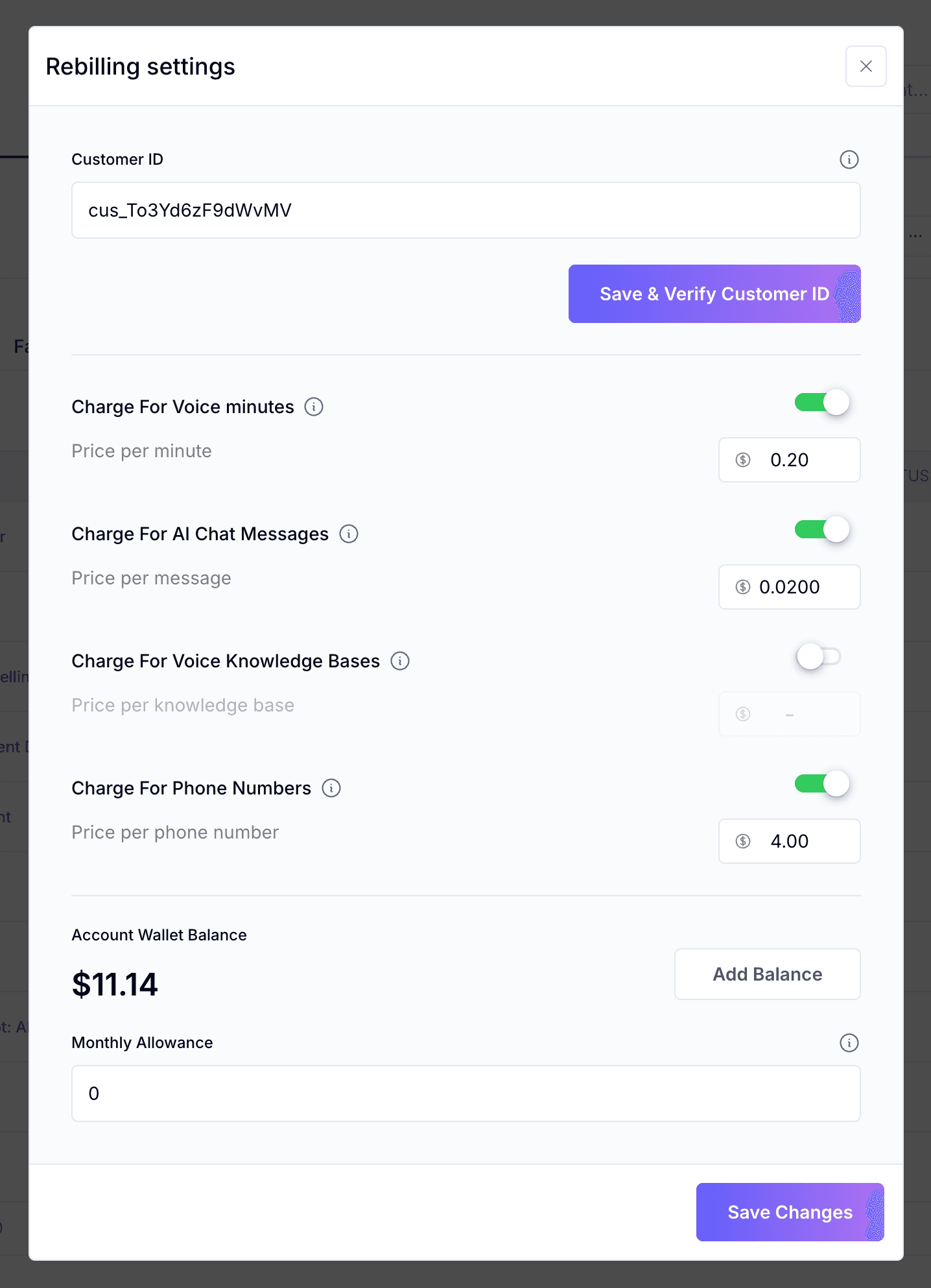
Set your markup. Keep the margin.
Meter usage on every client automatically. You set the per-minute and per-message price, we generate the invoices, and the spread is yours.
- Per-minute voice markup
- Per-message chat markup
- Built-in wallet + monthly allowance
- Auto-charged via Stripe
Scale
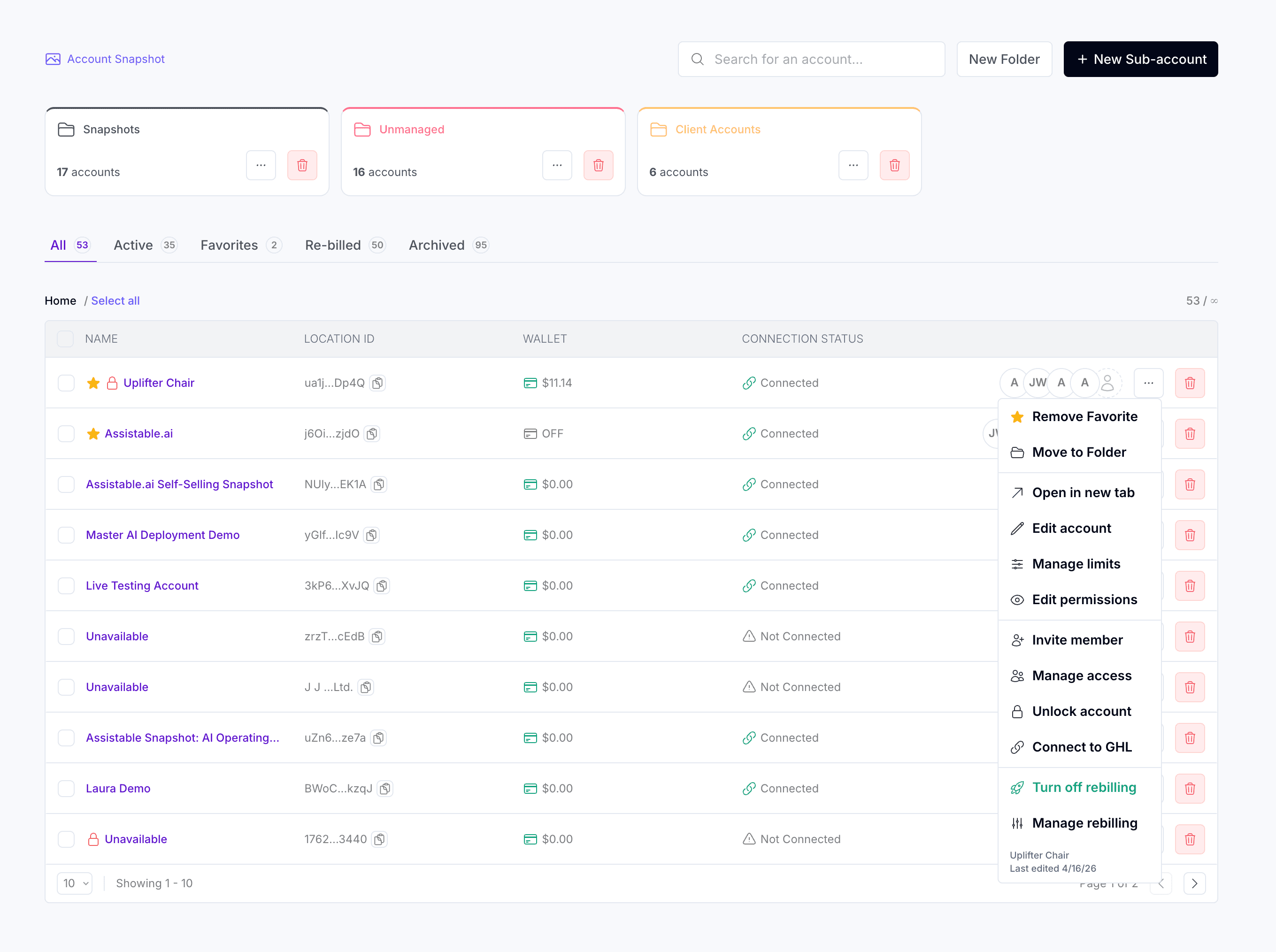
Hundreds of clients, one control plane.
Sub-accounts in folders, member invites, granular permissions, GHL connections, and rebilling — every account isolated, every setting yours to control.
- Folders, filters, and favorites
- Invite members + manage access
- Per-account GHL connection
- Lock, move, or rebill in one click
White-label
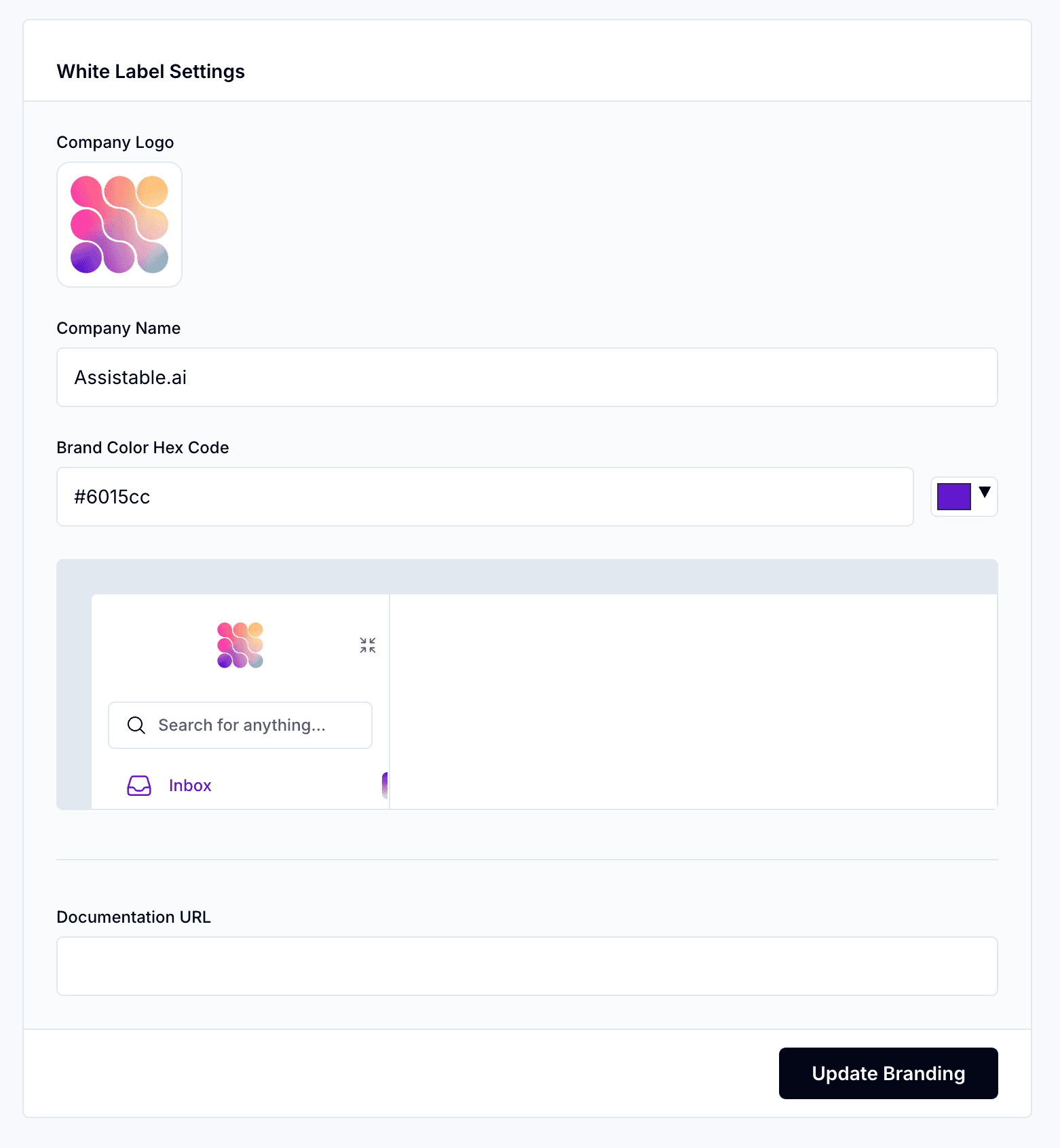
Your brand, front to back.
Upload your logo, set the company name, pick a brand color, and embed your own documentation. Clients see your agency — never Assistable.
Domains
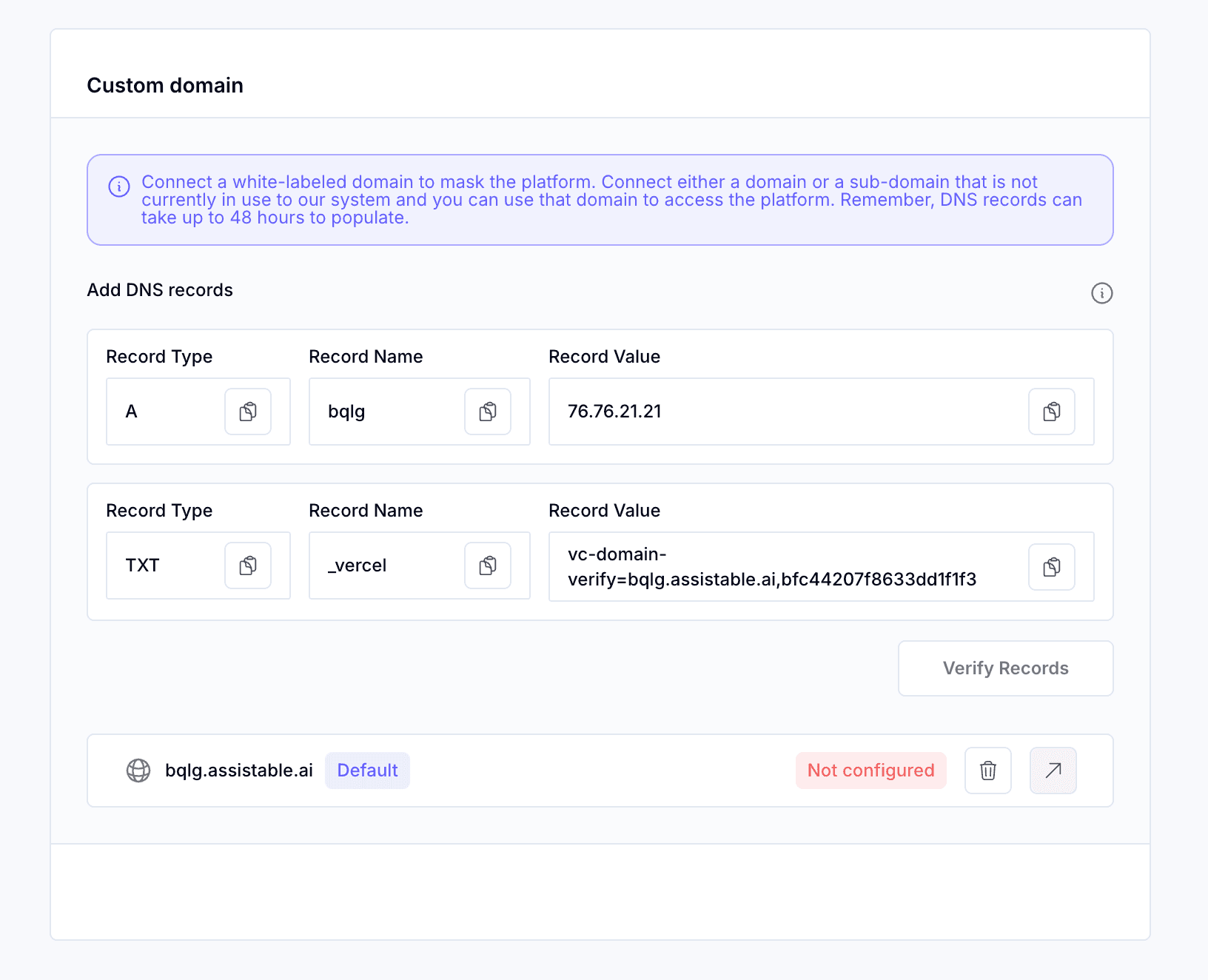
Your domain, your DNS.
Host the dashboard on your own root domain or subdomain. Add two DNS records, verify, and you're live — SSL provisioned automatically.
GoHighLevel native
Two-way sync out of the box. Trigger workflows, push transcripts, and book calendars — no custom code.
Bring your own keys
Plug in your own LLM API keys and SIP trunks. Control costs at the infrastructure level.
Agency-wide analytics
Every client in one view. Revenue, usage trends, call quality, and churn signals at a glance.
Platform
We don't just give you AI. We give you the tools to own it.
Build, test, deploy, and observe — all from one platform.
Configure, test, launch
One control panel for your entire agent — persona, knowledge base, tool integrations, guardrails, and escalation rules. No code required.

Visual conversation flows
Map out qualifying logic, branching paths, tool calls, and booking flows — all as connected nodes you can see and edit.

Monitor every interaction
Score conversations in real time and inspect every tool call, API payload, and decision your agent makes.
Conversation Intelligence

Tool Execution

AI summaries, transcripts, and playback
Every call gets an AI-generated summary and full transcript. Filter, replay, and QA every conversation at scale.
Call Detail

Recordings Dashboard

Why Assistable
The only truly multi-channel voice AI platform.
See how Assistable compares to Retell, Synthflow, and VAPI on the features that matter most.
Swipeto compare
| Feature | Assistable You are here | Retell | Synthflow | VAPI |
|---|---|---|---|---|
Cross-channel memory Same conversation across voice, SMS, WhatsApp, chat | ||||
Voice + Chat + SMS + WhatsApp All channels in a single unified agent | No WhatsApp | No unified agent | Voice only | |
No-code agent builder Visual workflow designer, no engineering | Basic | |||
Sub-500ms latency Human-like response speed | ~600ms | |||
Enterprise security SSO, RBAC, encryption, audit logs | Enterprise only | Limited | ||
White labeling Resell to your own customers | $2K/mo add-on | |||
Native integrations Salesforce, HubSpot, GoHighLevel + more | 50+ | 15+ | 200+ | 40+ |
Voice orchestration cost | $0.07 | $0.07+ | $0.15+ | $0.07+ |
Dedicated account manager On enterprise plans | ||||
| Try Assistable |
Comparison data based on publicly available pricing and features as of April 2026.
Analytics & Observability
Every call, every conversation,
observable in real time.
A full call center command center — funnel attribution, sentiment scoring, hangup analysis, and unit economics, all in one dashboard.

Every call, measured end-to-end
Watch dials → answers → conversations → appointments in one unified funnel. Pinpoint exactly where drop-off happens and iterate on the step that matters.
Know how every conversation felt
Automatic sentiment scoring on every call. Drill into hangup reasons, flagged transcripts, and outlier conversations — catch regressions before customers do.
Cost per outcome, not cost per call
Track cost per dial, cost per booked appointment, cost per transfer, and average call time — in real dollars, for every campaign and agent.
Ship fast. Watch everything.
Every agent is wired to a live observability layer from day one. Monitor calls as they happen, review flagged transcripts, A/B test prompts and voices, and get alerted the moment something drifts.
Integrations
Works with your entire stack.
Native integrations with the tools your team already uses.
Plus 50+ more via API, webhooks, and Zapier
ROI Calculator
See your savings in real time.
Adjust the sliders below to see exactly how much Assistable can save your team every month.
Your inputs
Drag the sliders to match your business
Based on actual customer outcomes. Free pilot available.
Security
Built for enterprise security.
Enterprise-grade security controls built into every layer of the platform.
Encryption in transit and at rest
All data is encrypted using industry-standard AES-256 encryption.
Role-based access controls
Granular permissions for teams, agents, and integrations.
Audit logs & governance
Complete audit trail of all system access and changes.
Data retention controls
Configure retention policies to match your organization's requirements.
Vendor security review ready
Pre-filled security questionnaires and documentation available.
Human handoff with context
Warm transfer to human agents with full context when escalation is needed.
Plans
Pricing built to scale with you.
Every plan ships with BYOK, rebilling, and full white-label. Upgrade anytime as your call volume grows.
Save 20% with annual billing
Solopreneur
For individuals getting started
- Concurrent
- 5calls
- Rate limit
- 30/min
- BYOK (bring your own keys)
- Built-in rebilling
- Full white-label
- Unlimited sub-accounts
Startup
For growing teams ready to scale
- Concurrent
- 10calls
- Rate limit
- 60/min
- BYOK (bring your own keys)
- Built-in rebilling
- Full white-label
- Unlimited sub-accounts
Growth
For production workloads
- Concurrent
- 15calls
- Rate limit
- 80/min
- BYOK (bring your own keys)
- Built-in rebilling
- Full white-label
- Unlimited sub-accounts
Agency
For agencies and enterprise
- Concurrent
- 20calls
- Rate limit
- 120/min
- BYOK (bring your own keys)
- Built-in rebilling
- Full white-label
- Unlimited sub-accounts
$0.07/min
Voice orchestration
$0.02/msg
AI chat messages
Usage billed on top of plan, across every tier.
Cost calculator
Model your unit economics.
Pick a preset, swap models, choose telephony, and set your markup. Every change updates your cost, revenue, and profit — live.
Start from a scenario
Total across every client
How many you’re billing
LLM selection
Swap any time — per-minute cost updates live
Telephony provider
Use ours or bring your own
Add-ons
Optional capabilities, billed per minute
Rebilling multiplier
Your markup over platform cost
Active configuration
Estimated monthly profit
33% margin on $3,938 in client revenue
Per client
$394
10 accounts
Profit / client
$131
monthly
Year 1 projection
$15,750
Per-minute costs
Monthly totals · 25,000 min
- Your cost
- $2,625
- Resale revenue (1.5x)
- $3,938
Live estimate. Final pricing depends on plan & usage.
Reviews
Loved by founders and teams.
“I've tested a lot of AI and automation tools, and most fall apart once you try to scale. Assistable is the real deal.”
Jamie WVerified Trustpilot review“I have been using Assistable for about 10 months, and it has changed my business completely. The voice AI quality is unmatched.”
Travis HolzemVerified Trustpilot review“The conversational quality and flexibility are amazing. Top notch tech and service from the entire team.”
Eric KnellerVerified Trustpilot review“They make it so easy to get started with voice AI. The onboarding was smooth and the results were immediate.”
Pam VinjeVerified Trustpilot review“There is no better conversational AI voice bot. There are a ton of players in the market and Assistable leads.”
Lowe SmithVerified Trustpilot review“Assistable has been a game changer for my business and is way easier to use than any alternative I've tried.”
Greg PfefferVerified Trustpilot review“Assistable AI was the best decision we have made for our company in a long time. Excellent product and team.”
Get Amplified MarketingVerified Trustpilot review“Been using Assistable for several months and it has completely changed how our team handles inbound inquiries.”
ATVerified Trustpilot review
“There is no better conversational AI voice bot. There are a ton of players in the market and Assistable leads.”
Lowe SmithVerified Trustpilot review“Assistable has been a game changer for my business and is way easier to use than any alternative I've tried.”
Greg PfefferVerified Trustpilot review“Assistable AI was the best decision we have made for our company in a long time. Excellent product and team.”
Get Amplified MarketingVerified Trustpilot review“Been using Assistable for several months and it has completely changed how our team handles inbound inquiries.”
ATVerified Trustpilot review“I've tested a lot of AI and automation tools, and most fall apart once you try to scale. Assistable is the real deal.”
Jamie WVerified Trustpilot review“I have been using Assistable for about 10 months, and it has changed my business completely. The voice AI quality is unmatched.”
Travis HolzemVerified Trustpilot review“The conversational quality and flexibility are amazing. Top notch tech and service from the entire team.”
Eric KnellerVerified Trustpilot review“They make it so easy to get started with voice AI. The onboarding was smooth and the results were immediate.”
Pam VinjeVerified Trustpilot review
Customer Stories
Hear it directly from them.
Real customers sharing real results — unscripted.
FAQ
Frequently asked questions.
Our agents handle full conversations — from understanding intent and pulling information to completing tasks like booking appointments, creating tickets, qualifying leads, and updating your CRM. They escalate to humans only when configured to do so.
See Assistable in action.
Book a 30-minute demo with our team. We'll show you a working AI agent deployed in your use case, with your stack and your rules.