Control
Set the boundaries.
Choose what your agent knows, the tools it can use and when to bring in your team.
The Assistable platform
Build AI agents that carry the conversation across channels, use your business tools and bring your team in when it matters.
Build, test and deploy voice and messaging agents with the tools and visibility your business needs.
Choose what your agent knows, the tools it can use and when to bring in your team.
Connect questions, decisions and actions, from qualification to a booking or handoff.
Review draft conversations and tool actions. Publish the version you’ve tested.
Keep contact details and history connected across voice, SMS, WhatsApp and web chat.
Follow the transcript, tool actions and outcome to understand every conversation.
Put your CRM, calendars and business tools to work through integrations, webhooks and APIs.
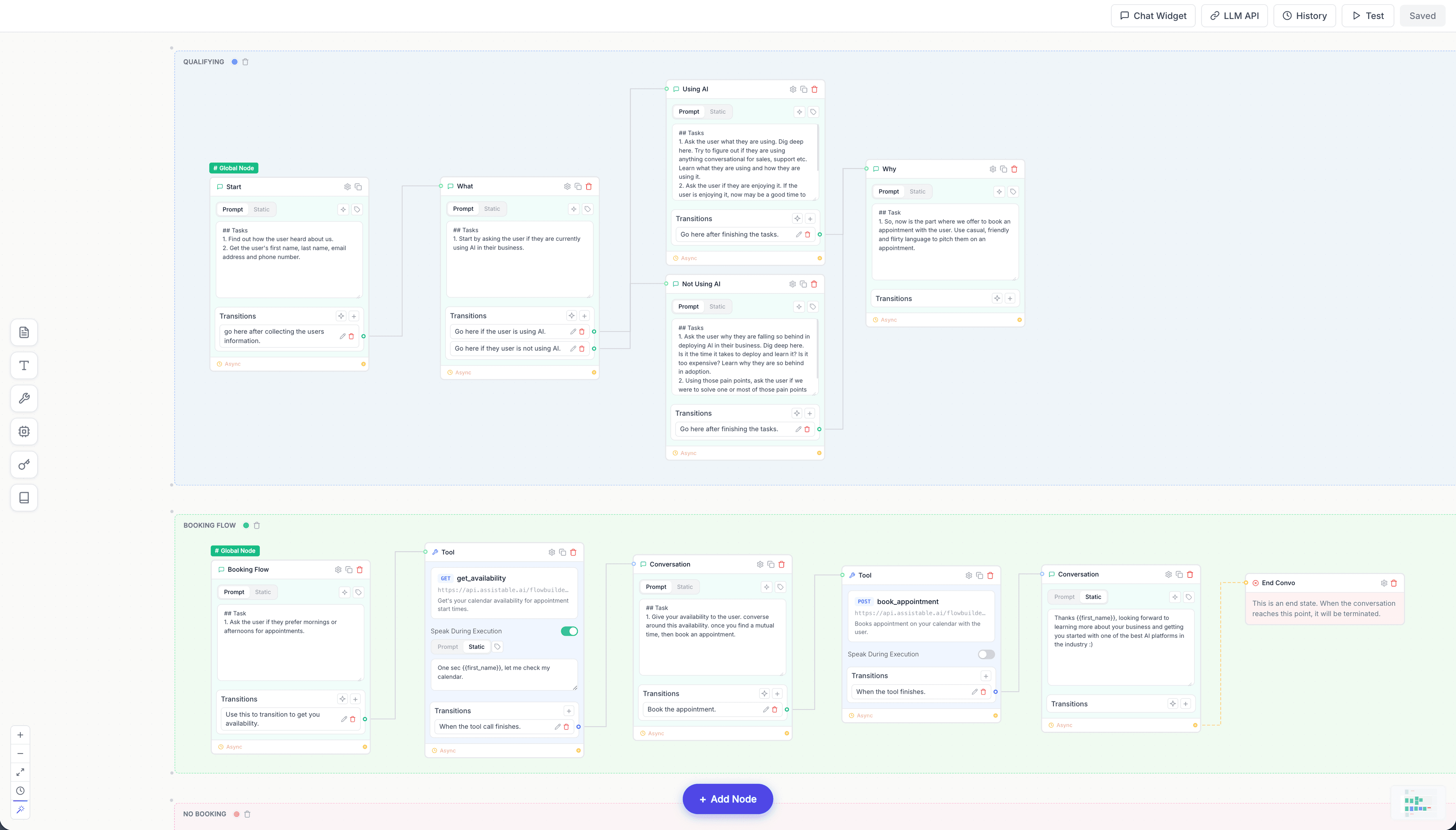
The Assistable flow builder. Design, test and publish your agent’s workflow.
Use the visual flow builder to define questions, branches and actions. Connect knowledge and tools so the agent has a clear job to do.
Check calendars, book appointments, update contacts and call your APIs. Keep the next step connected to your existing operation.
Work on a draft, test the conversation and review how tools behave. Publish the version that is ready for your customers.
Carry customer context across voice and messaging. When a conversation moves to a person, send the relevant details with it.
Define what agents can do. Choose what goes live. Review the conversations that need your attention.
Outside-policy example: no custom price is quoted. The request is routed to sales and retained in the illustrative record.
Set approved answers and actions. Send exceptions to your team with the context to act.
Make and test changes on a branch. Publish the version you choose, with earlier versions kept in history.
Inspect the request, rule and action. Route conversations that need attention to the people who can help.