Understand the activity. Put the spend in context.
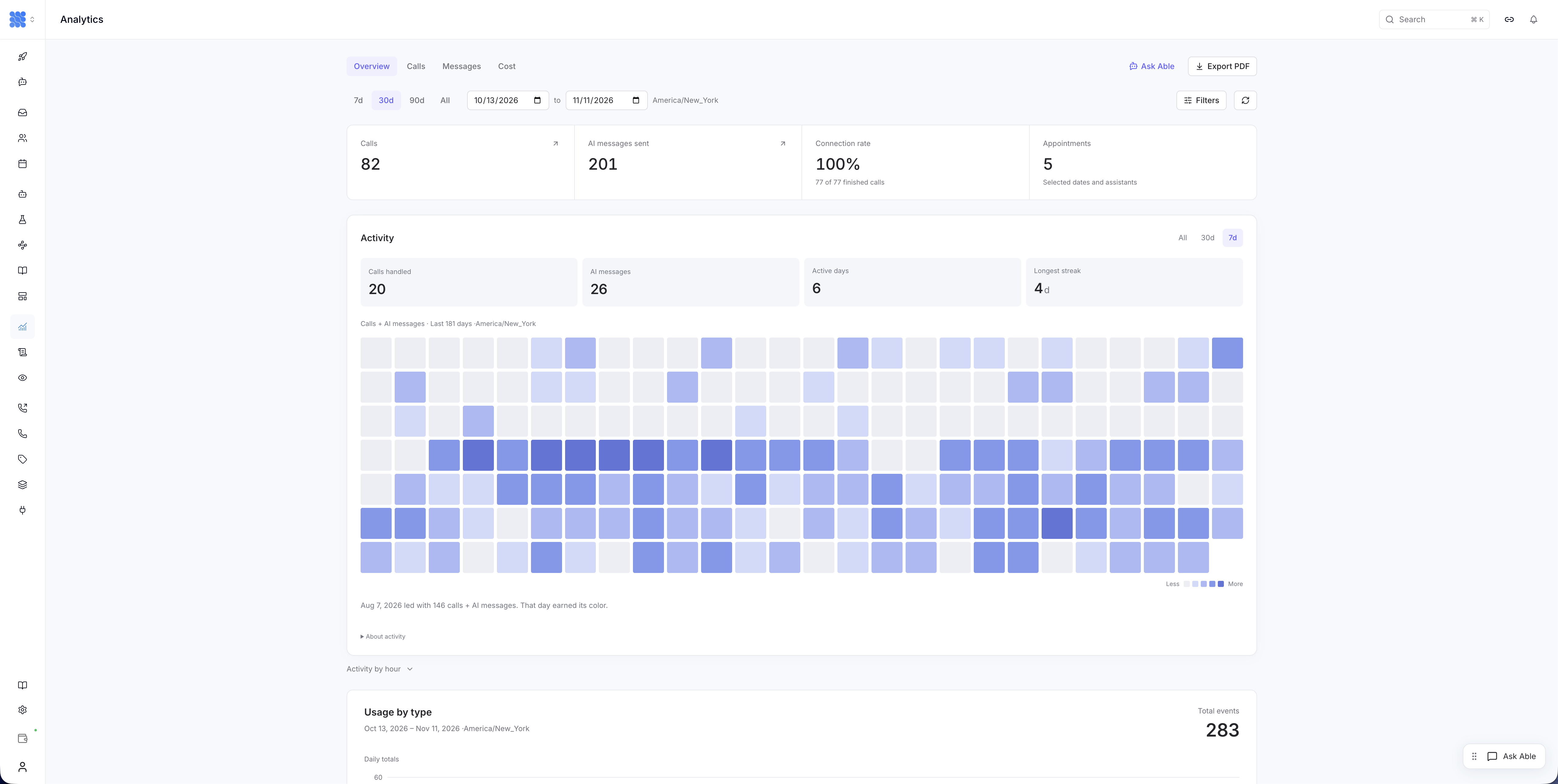
Assistable Analytics reports recorded call and message activity and associated usage costs. Eligible accounts can filter call and AI-message charges by assistant. Teams combine these operational views with their CRM, calendar and service records to assess business results.
Talk to salesUsage by type
Example week · UTC
| Category | Total events | Share | Avg/day | Peak/day |
|---|---|---|---|---|
| Inbound calls | 95 | 19.3% | 13.6 | 21 |
| Outbound calls | 134 | 27.2% | 19.1 | 30 |
| Web calls | 43 | 8.7% | 6.1 | 10 |
| AI messages | 221 | 44.8% | 31.6 | 44 |
Daily figures Daily breakdown
| Day | Inbound calls | Outbound calls | Web calls | AI messages | Total |
|---|---|---|---|---|---|
| Mon | 14 | 20 | 5 | 32 | 71 |
| Tue | 18 | 25 | 8 | 41 | 92 |
| Wed | 12 | 18 | 6 | 29 | 65 |
| Thu | 21 | 23 | 10 | 37 | 91 |
| Fri | 16 | 30 | 7 | 44 | 97 |
| Sat | 8 | 10 | 4 | 20 | 42 |
| Sun | 6 | 8 | 3 | 18 | 35 |
Powering businesses, agencies and franchise operators.








Household-brand logos represent franchise-level deployments.
Explain the change behind the chart.
Usage rises after a follow-up program expands. Start with the reporting period, then examine which activity and agents contributed to the change.
See the workload
Review recorded AI messages and inbound, outbound and web calls. Compare the same account and period to understand where demand changed.
Focus the cost review
In enabled accounts, filter attributable call and AI-message charges by assistant. Keep the unfiltered view for the wider account picture.
Inspect the context
Open the relevant call or conversation records. Match activity to the calendar or CRM when your question concerns bookings, sales or customer outcomes.
Bring a clearer picture to the operating review.
Understand demand
See how work is distributed across channels and periods before deciding where to adjust the deployment.
Explain attributable usage
Discuss the charges associated with an assistant’s calls and AI messages using the scope supported by the cost view.
Investigate a pattern
Move from an unusual reporting period to the retained interactions that help explain it.
Know what the number includes.
Use consistent reporting periods and definitions so the team can explain the change, not just repeat the total.
Allow records to settle
Reporting reflects stored data through the latest synchronization. Recent activity can take time to appear; the report is not a live call monitor.
Keep the full cost picture
Assistant-filtered usage excludes account-wide items. Review those charges and the platform subscription separately when assessing total deployment cost.
Use the right outcome source
A call, appointment and sale are different measures. Revenue and ROI require verified business records and an agreed attribution method.
Product capabilities and architecture
See how your AI workload and usage costs change over time. Connect the account-wide picture to the agents and conversations behind it.
See the pattern. Inspect the work behind it.
- Account activity reporting
- Review daily recorded calls and AI messages. See when demand concentrates and where a new pattern begins.
- Assistant-level cost filters
- In enabled accounts, inspect call and AI-message charges attributable to selected assistants. Retain the unfiltered view for the wider account picture.
- Records behind the trend
- Use call and conversation detail to investigate an unusual period. Transcripts, recordings and recorded outcomes add context to the aggregate numbers.
- Separate operating and financial views
- Discuss consumption without confusing it with wallet funding or the platform subscription. Bring the relevant scope to each review.
Keep activity, cost and business results connected.
Connect the work performed, attributable usage and destination business records in the same review.
- Activity describes the work
- Recorded calls and AI messages show when interactions occur and how the workload changes.
- Cost describes attributable usage
- Assistant filters isolate attributable call and AI-message charges; unfiltered views retain account-wide items.
- Your systems establish the outcome
- Calendars, CRMs and service platforms establish attendance, sales and completed work.
Operating controls and references
Make every review comparable.
Use consistent periods, definitions and account scope so your team can explain both the number and its meaning.
- Allow for reporting freshness
- Recent activity and charges can change as records arrive. Compare settled periods when assessing an operational change.
- Keep total cost in view
- Assistant-attributable usage is one part of the financial picture. Phone rental, knowledge-base charges, observations and other account-wide items belong in the wider review.
- Define commercial attribution
- A booking, an attended appointment and a sale are different outcomes. Revenue and ROI calculations need an agreed method and evidence from the systems that record them.
Make your AI operating review more useful.
Show us how your team measures activity and cost. We’ll help map the available reporting to the decisions you need to make.
Analytics use cases by team
Analytics
questions.
Can I see what a specific AI agent costs?
Eligible accounts have a Cost-view assistant filter for attributable call and AI-message charges. Availability depends on the account’s analytics rollout; our team can confirm access for your deployment.
Does Analytics calculate revenue or ROI automatically?
No. The assistant cost view reports attributable usage charges. Match that work to verified CRM, calendar or other business outcomes to assess revenue and return on investment.
How current is activity reporting?
It reflects stored data through the latest analytics synchronization. Recently completed work can take time to appear, so the activity report is not a live call monitor.
Why is the account total different from assistant costs?
The assistant filter excludes account-wide items such as wallet funding, phone rental, knowledge-base charges and observations. Use filtered and unfiltered views together when reviewing the full cost picture.